AI Support Agents for Teams Handling Complex Tickets
AI Support Agents for Teams Handling Complex Tickets
AI Support Agents for Teams Handling Complex Tickets
Pluno is the only AI Agent that deeply learns from your past tickets - so it answers complex issues accurately and escalates safely.
Pluno is the only AI Agent that deeply learns from your past tickets - so it answers complex issues accurately and escalates safely.
Pluno is the only AI Agent that deeply learns from your past tickets - so it answers complex issues accurately and escalates safely.













Switching from Fin to Pluno is the best thing you can do for your customers
Switching from Fin to Pluno is the best thing you can do for your customers
Before: Fin AI
"We had lots of resolved tickets. But when you looked at the quality, it wasn’t great. After a few months, customers started complaining.”

Joseph D'Apuzzo
Customer Support Manager
After: Using Pluno
"Pluno knows when something needs to be escalated, when something is urgent, and it does it. If something hasn’t come to me, I know it doesn’t need a human. This is fantastic.”
Deflection Is Just the Start:
See What Pluno Brings to Your Support Team
Deflection Is Just the Start:
See What Pluno Brings to Your Support Team
Answer Copilot
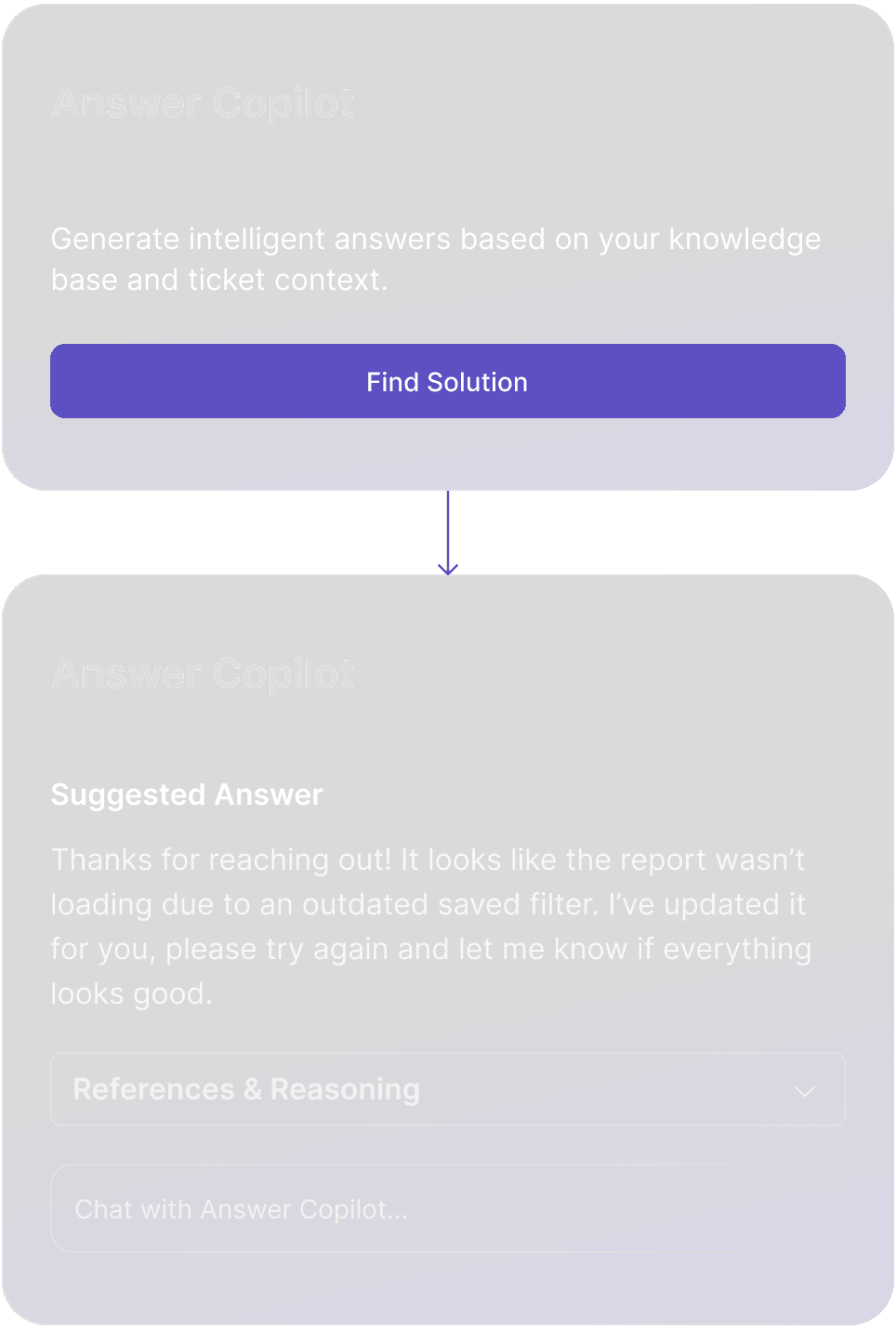
Sits inside your help desk and automatically pulls the information needed to answer a ticket, including past resolutions, linked Jira issues, relevant Confluence or Notion pages, help center articles and internal notes, then turns it into a clear, ready-to-send reply.
For every ticket, it drafts the message, shows the references it used and follows your AI workflows to provide the right agent guidance and next steps. Agents stay in control and can insert, edit or reset the suggestion with one click.
Escalation Copilot
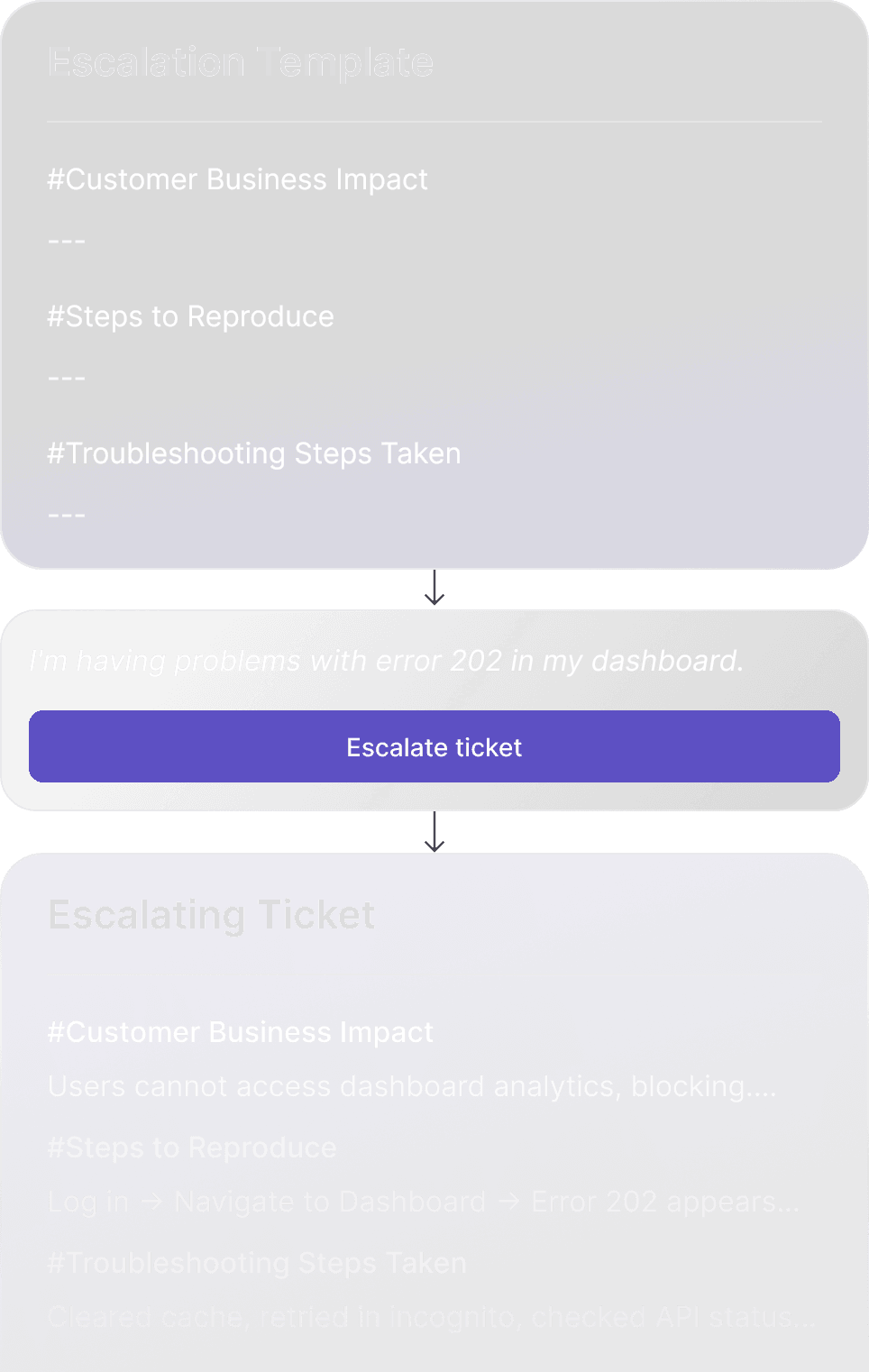
Uses your custom template to collect the required details from the conversation and create a complete, structured handoff. The escalation is sent to the right team in the tools they already use, while support stays in their own platform.
Updates flow both ways, so everyone stays aligned without switching systems.
Call Insights & Summary
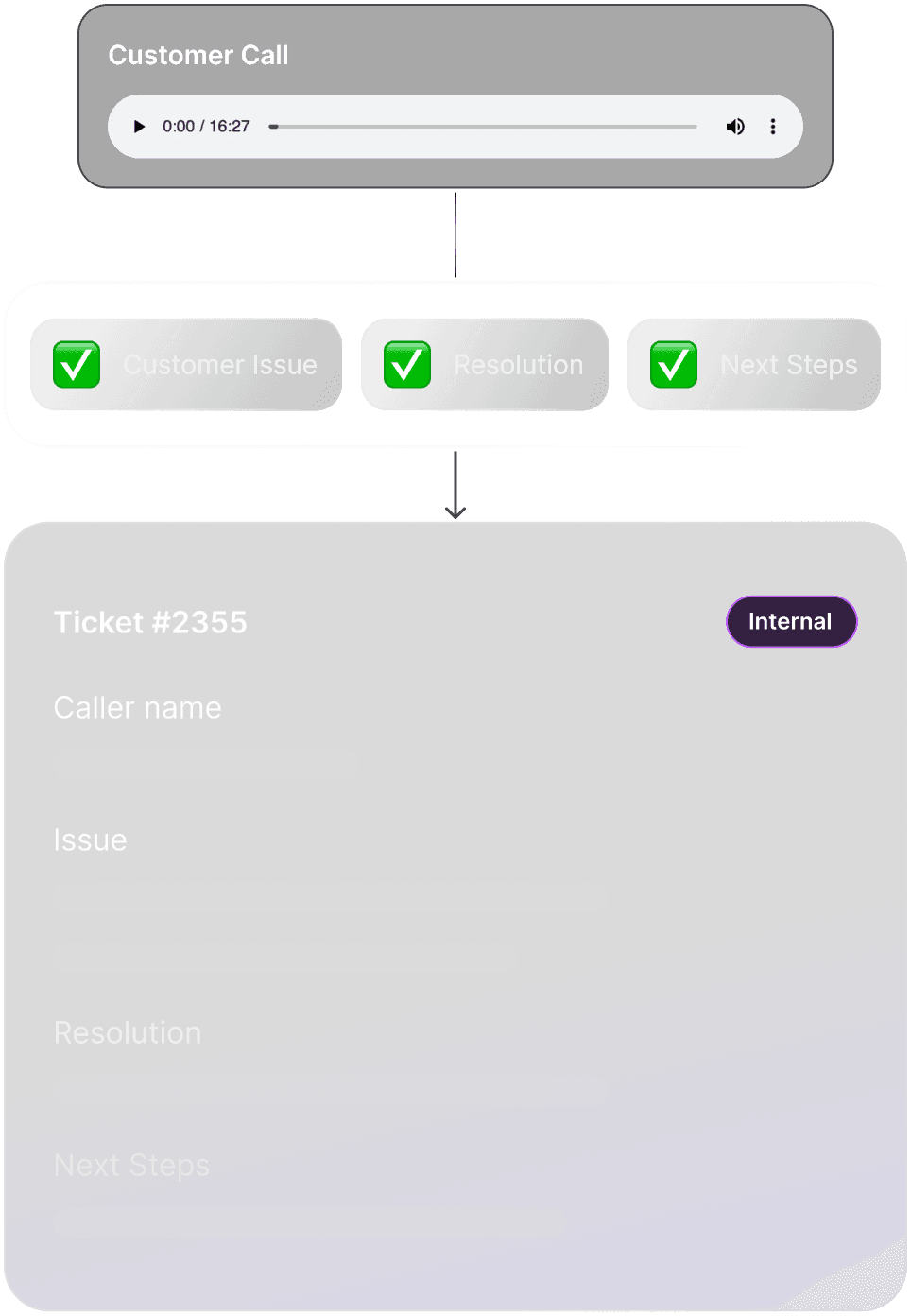
Turns every recorded call into a clear, structured record. You define the exact template Pluno should follow (for example caller, issue, resolution, next steps), and the AI uses it to extract the right information.
Each call is automatically transcribed and summarised according to your template, then posted as an internal note in the ticket.
Topic Clustering
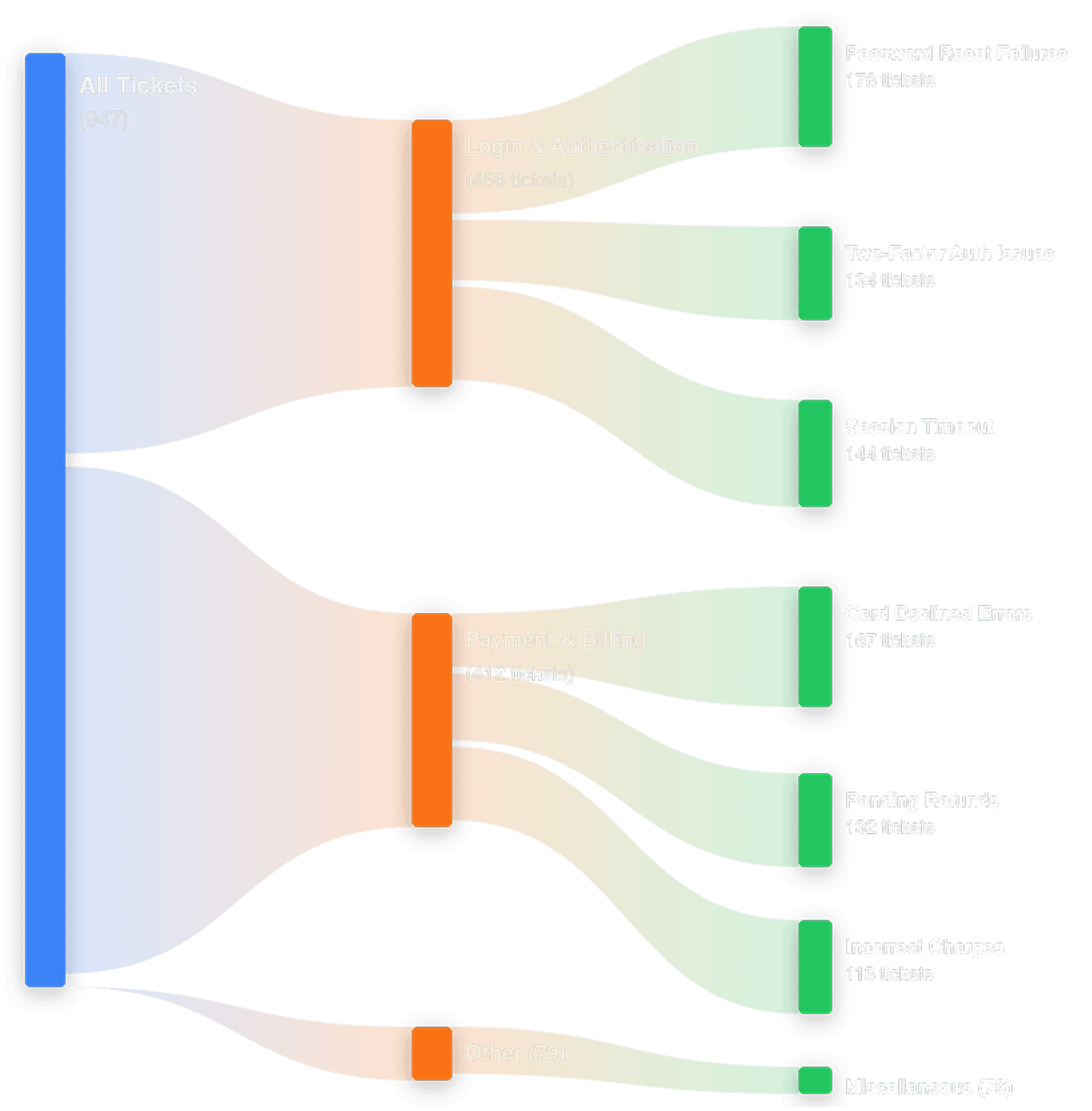
Helps you understand what your customers are really talking about at scale. It analyzes every ticket in a selected date range, groups them into meaningful topics and subtopics, and visualizes how those change over time. You can drill into any cluster to view real tickets, uncover the root issues and identify what is driving volume.
This gives your team a clear view of emerging trends, recurring pain points and where to focus improvements.
AI Tagging & Field Filling
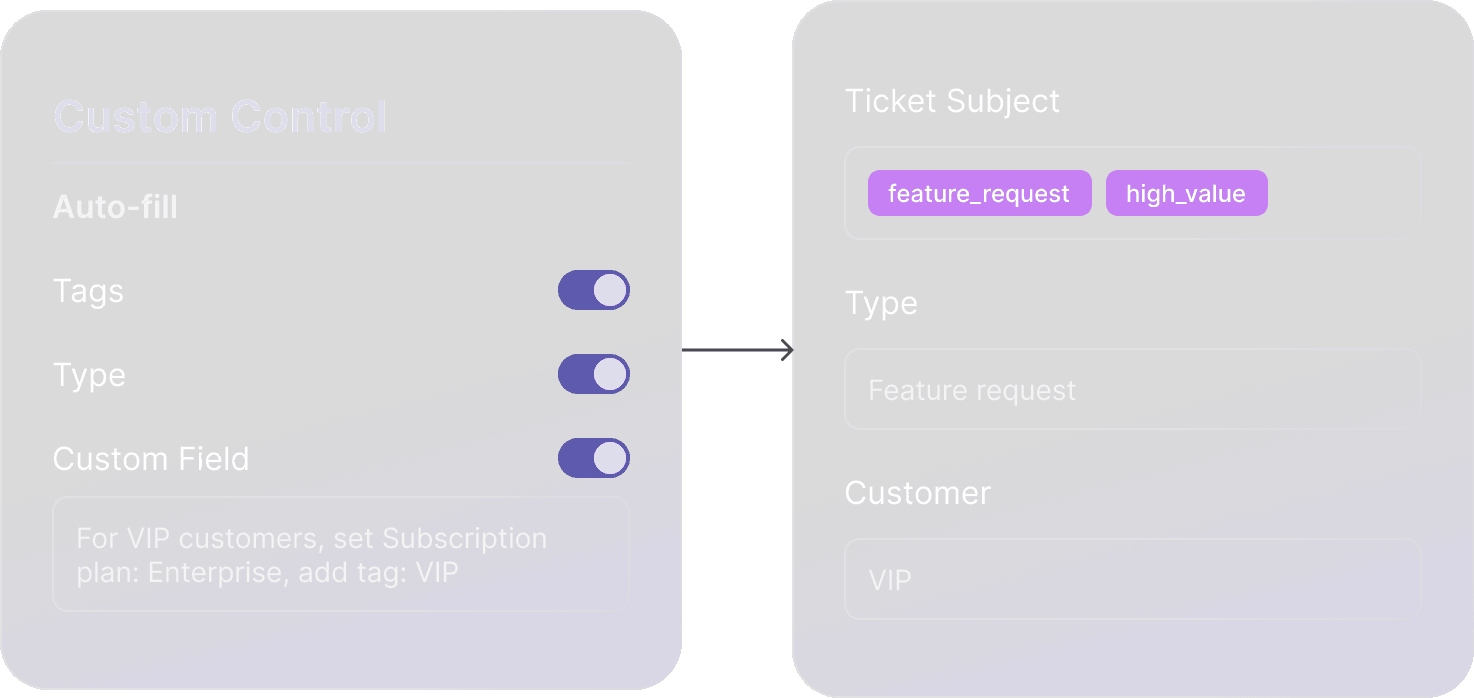
No longer waste time tagging tickets or filling out fields manually. Pluno analyzes each conversation and automatically applies the correct tags, types and custom fields based on your instructions and past resolutions.
Brand Configuration
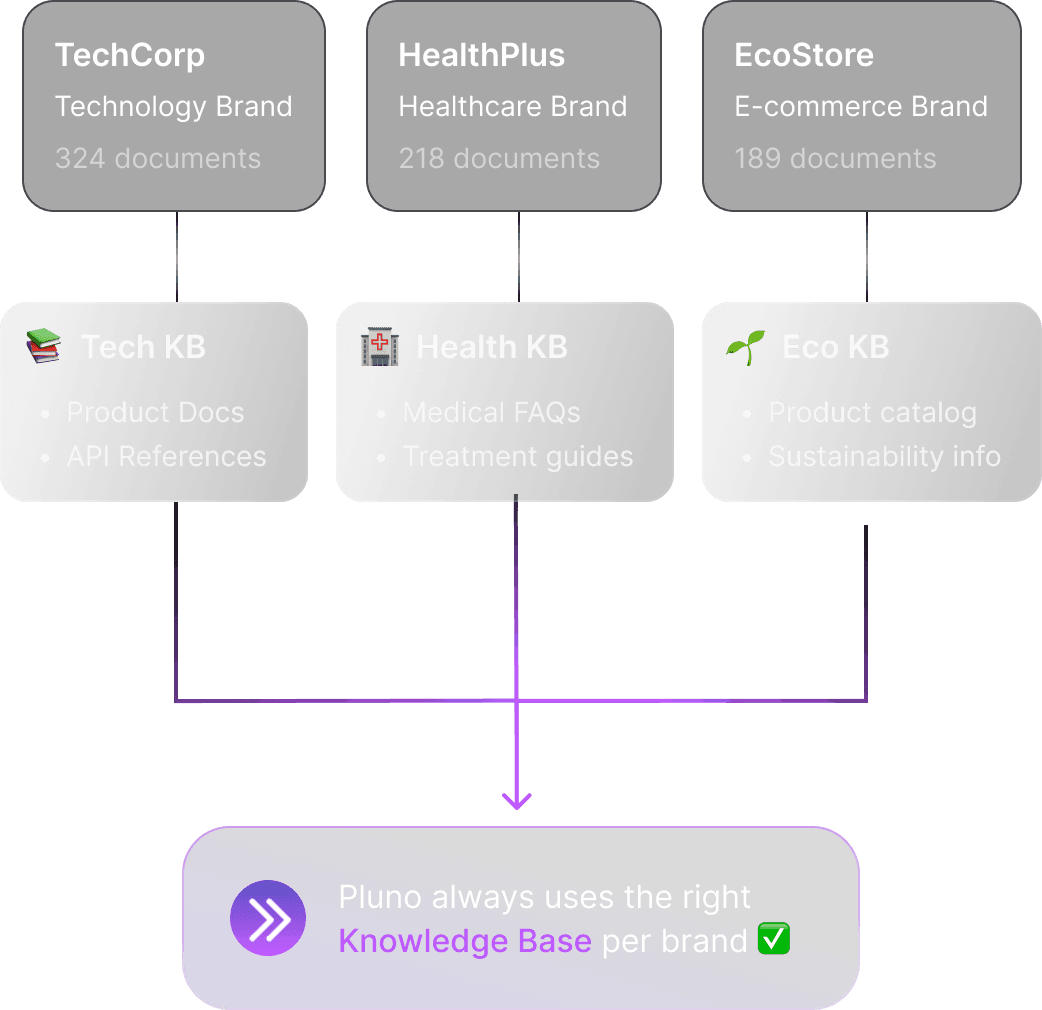
Lets you create a dedicated knowledge base for each brand inside the same Pluno dashboard, so the AI always knows which content to use.
Simply add a new knowledge base and link it to the right brand, and Pluno will keep each one separate and accurate.
Advanced Reporting
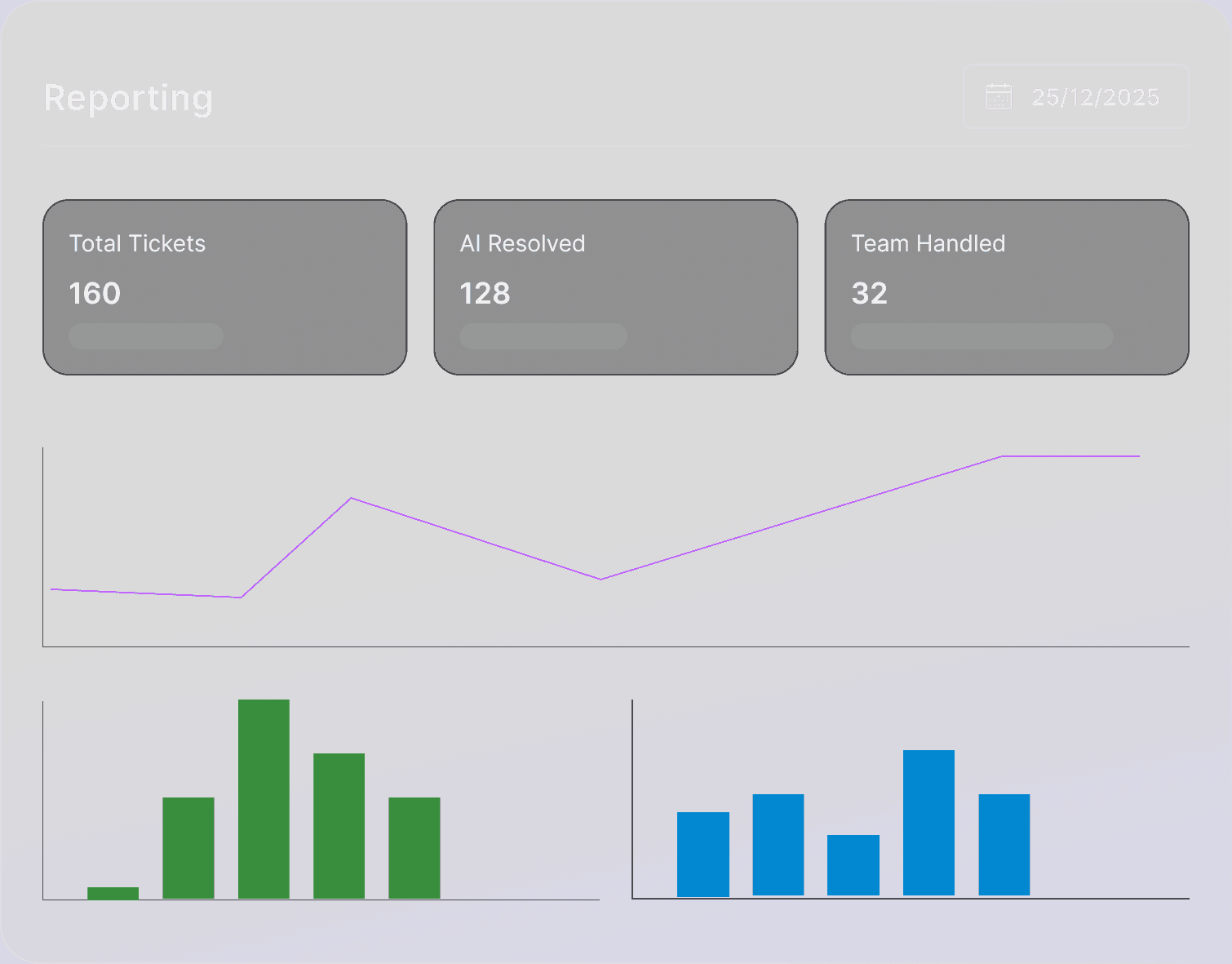
Get a clear view of how your support operation is performing. The reporting page shows total ticket volume over any selected period, how many were resolved by AI versus your team, and how many were escalated internally.
You can track daily resolution patterns, compare AI and team performance and monitor how that balance shifts over time.
Answer Copilot
Sits inside your help desk and automatically pulls the information needed to answer a ticket, including past resolutions, linked Jira issues, relevant Confluence or Notion pages, help center articles and internal notes, then turns it into a clear, ready-to-send reply.
For every ticket, it drafts the message, shows the references it used and follows your AI workflows to provide the right agent guidance and next steps. Agents stay in control and can insert, edit or reset the suggestion with one click.
Escalation Copilot
Uses your custom template to collect the required details from the conversation and create a complete, structured handoff. The escalation is sent to the right team in the tools they already use, while support stays in their own platform.
Updates flow both ways, so everyone stays aligned without switching systems.
Call Insights & Summary
Turns every recorded call into a clear, structured record. You define the exact template Pluno should follow (for example caller, issue, resolution, next steps), and the AI uses it to extract the right information.
Each call is automatically transcribed and summarised according to your template, then posted as an internal note in the ticket.
Topic Clustering
Helps you understand what your customers are really talking about at scale. It analyzes every ticket in a selected date range, groups them into meaningful topics and subtopics, and visualizes how those change over time. You can drill into any cluster to view real tickets, uncover the root issues and identify what is driving volume.
This gives your team a clear view of emerging trends, recurring pain points and where to focus improvements.
AI Tagging & Field Filling
No longer waste time tagging tickets or filling out fields manually. Pluno analyzes each conversation and automatically applies the correct tags, types and custom fields based on your instructions and past resolutions.
Brand Configuration
Lets you create a dedicated knowledge base for each brand inside the same Pluno dashboard, so the AI always knows which content to use.
Simply add a new knowledge base and link it to the right brand, and Pluno will keep each one separate and accurate.
Advanced Reporting
Get a clear view of how your support operation is performing. The reporting page shows total ticket volume over any selected period, how many were resolved by AI versus your team, and how many were escalated internally.
You can track daily resolution patterns, compare AI and team performance and monitor how that balance shifts over time.
Answer Copilot
Sits inside your help desk and automatically pulls the information needed to answer a ticket, including past resolutions, linked Jira issues, relevant Confluence or Notion pages, help center articles and internal notes, then turns it into a clear, ready-to-send reply.
For every ticket, it drafts the message, shows the references it used and follows your AI workflows to provide the right agent guidance and next steps. Agents stay in control and can insert, edit or reset the suggestion with one click.
Escalation Copilot
Uses your custom template to collect the required details from the conversation and create a complete, structured handoff. The escalation is sent to the right team in the tools they already use, while support stays in their own platform.
Updates flow both ways, so everyone stays aligned without switching systems.
Call Insights & Summary
Turns every recorded call into a clear, structured record. You define the exact template Pluno should follow (for example caller, issue, resolution, next steps), and the AI uses it to extract the right information.
Each call is automatically transcribed and summarised according to your template, then posted as an internal note in the ticket.
Topic Clustering
Helps you understand what your customers are really talking about at scale. It analyzes every ticket in a selected date range, groups them into meaningful topics and subtopics, and visualizes how those change over time. You can drill into any cluster to view real tickets, uncover the root issues and identify what is driving volume.
This gives your team a clear view of emerging trends, recurring pain points and where to focus improvements.
AI Tagging & Field Filling
No longer waste time tagging tickets or filling out fields manually. Pluno analyzes each conversation and automatically applies the correct tags, types and custom fields based on your instructions and past resolutions.
Brand Configuration
Lets you create a dedicated knowledge base for each brand inside the same Pluno dashboard, so the AI always knows which content to use.
Simply add a new knowledge base and link it to the right brand, and Pluno will keep each one separate and accurate.
Advanced Reporting
Get a clear view of how your support operation is performing. The reporting page shows total ticket volume over any selected period, how many were resolved by AI versus your team, and how many were escalated internally.
You can track daily resolution patterns, compare AI and team performance and monitor how that balance shifts over time.
Answer Copilot
Sits inside your help desk and automatically pulls the information needed to answer a ticket, including past resolutions, linked Jira issues, relevant Confluence or Notion pages, help center articles and internal notes, then turns it into a clear, ready-to-send reply.
For every ticket, it drafts the message, shows the references it used and follows your AI workflows to provide the right agent guidance and next steps. Agents stay in control and can insert, edit or reset the suggestion with one click.
Escalation Copilot
Uses your custom template to collect the required details from the conversation and create a complete, structured handoff. The escalation is sent to the right team in the tools they already use, while support stays in their own platform.
Updates flow both ways, so everyone stays aligned without switching systems.
Call Insights & Summary
Turns every recorded call into a clear, structured record. You define the exact template Pluno should follow (for example caller, issue, resolution, next steps), and the AI uses it to extract the right information.
Each call is automatically transcribed and summarised according to your template, then posted as an internal note in the ticket.
Topic Clustering
Helps you understand what your customers are really talking about at scale. It analyzes every ticket in a selected date range, groups them into meaningful topics and subtopics, and visualizes how those change over time. You can drill into any cluster to view real tickets, uncover the root issues and identify what is driving volume.
This gives your team a clear view of emerging trends, recurring pain points and where to focus improvements.
AI Tagging & Field Filling
No longer waste time tagging tickets or filling out fields manually. Pluno analyzes each conversation and automatically applies the correct tags, types and custom fields based on your instructions and past resolutions.
Brand Configuration
Lets you create a dedicated knowledge base for each brand inside the same Pluno dashboard, so the AI always knows which content to use.
Simply add a new knowledge base and link it to the right brand, and Pluno will keep each one separate and accurate.
Advanced Reporting
Get a clear view of how your support operation is performing. The reporting page shows total ticket volume over any selected period, how many were resolved by AI versus your team, and how many were escalated internally.
You can track daily resolution patterns, compare AI and team performance and monitor how that balance shifts over time.
Answer Copilot
Sits inside your help desk and automatically pulls the information needed to answer a ticket, including past resolutions, linked Jira issues, relevant Confluence or Notion pages, help center articles and internal notes, then turns it into a clear, ready-to-send reply.
For every ticket, it drafts the message, shows the references it used and follows your AI workflows to provide the right agent guidance and next steps. Agents stay in control and can insert, edit or reset the suggestion with one click.
AI-Powered Support QA
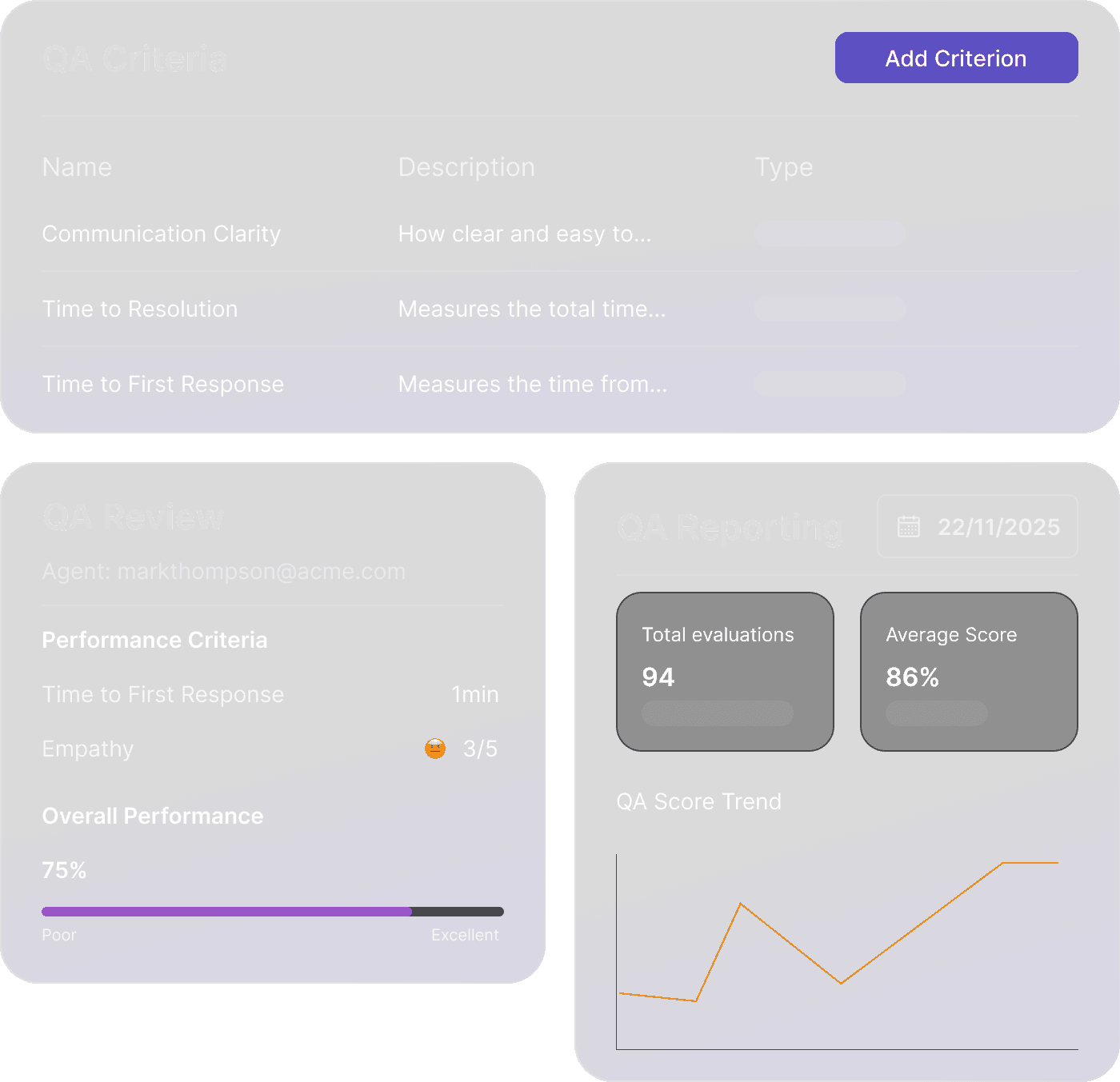
Evaluates human agent performance on every resolved ticket, without adding any manual review work. You define the exact criteria that matter to your support team (like clarity, empathy, response time or policy adherence), and AI consistently scores each interaction based on those rules.
Results appear directly inside your help desk as a scorecard agents can review in context. Leaders can track trends over time, compare performance across agents and criteria, and dive into specific tickets for coaching and quality improvements, all from one dashboard.
Escalation Copilot
Uses your custom template to collect the required details from the conversation and create a complete, structured handoff. The escalation is sent to the right team in the tools they already use, while support stays in their own platform.
Updates flow both ways, so everyone stays aligned without switching systems.
Call Insights & Summary
Turns every recorded call into a clear, structured record. You define the exact template Pluno should follow (for example caller, issue, resolution, next steps), and the AI uses it to extract the right information.
Each call is automatically transcribed and summarised according to your template, then posted as an internal note in the ticket.
Topic Clustering
Helps you understand what your customers are really talking about at scale. It analyzes every ticket in a selected date range, groups them into meaningful topics and subtopics, and visualizes how those change over time. You can drill into any cluster to view real tickets, uncover the root issues and identify what is driving volume.
This gives your team a clear view of emerging trends, recurring pain points and where to focus improvements.
AI Tagging & Field Filling
No longer waste time tagging tickets or filling out fields manually. Pluno analyzes each conversation and automatically applies the correct tags, types and custom fields based on your instructions and past resolutions.
Brand configuration
Lets you create a dedicated knowledge base for each brand inside the same Pluno dashboard, so the AI always knows which content to use. Simply add a new knowledge base and link it to the right brand, and Pluno will keep each one separate and accurate.
Advanced Reporting
Get a clear view of how your support operation is performing. The reporting page shows total ticket volume over any selected period, how many were resolved by AI versus your team, and how many were escalated internally.
You can track daily resolution patterns, compare AI and team performance and monitor how that balance shifts over time.
Answer Copilot
Sits inside your help desk and automatically pulls the information needed to answer a ticket, including past resolutions, linked Jira issues, relevant Confluence or Notion pages, help center articles and internal notes, then turns it into a clear, ready-to-send reply.
For every ticket, it drafts the message, shows the references it used and follows your AI workflows to provide the right agent guidance and next steps. Agents stay in control and can insert, edit or reset the suggestion with one click.
AI-Powered Support QA
Evaluates human agent performance on every resolved ticket, without adding any manual review work. You define the exact criteria that matter to your support team (like clarity, empathy, response time or policy adherence), and AI consistently scores each interaction based on those rules.
Results appear directly inside your help desk as a scorecard agents can review in context. Leaders can track trends over time, compare performance across agents and criteria, and dive into specific tickets for coaching and quality improvements, all from one dashboard.
Escalation Copilot
Uses your custom template to collect the required details from the conversation and create a complete, structured handoff. The escalation is sent to the right team in the tools they already use, while support stays in their own platform.
Updates flow both ways, so everyone stays aligned without switching systems.
Call Insights & Summary
Turns every recorded call into a clear, structured record. You define the exact template Pluno should follow (for example caller, issue, resolution, next steps), and the AI uses it to extract the right information.
Each call is automatically transcribed and summarised according to your template, then posted as an internal note in the ticket.
Topic Clustering
Helps you understand what your customers are really talking about at scale. It analyzes every ticket in a selected date range, groups them into meaningful topics and subtopics, and visualizes how those change over time. You can drill into any cluster to view real tickets, uncover the root issues and identify what is driving volume.
This gives your team a clear view of emerging trends, recurring pain points and where to focus improvements.
AI Tagging & Field Filling
No longer waste time tagging tickets or filling out fields manually. Pluno analyzes each conversation and automatically applies the correct tags, types and custom fields based on your instructions and past resolutions.
Brand configuration
Lets you create a dedicated knowledge base for each brand inside the same Pluno dashboard, so the AI always knows which content to use. Simply add a new knowledge base and link it to the right brand, and Pluno will keep each one separate and accurate.
Advanced Reporting
Get a clear view of how your support operation is performing. The reporting page shows total ticket volume over any selected period, how many were resolved by AI versus your team, and how many were escalated internally.
You can track daily resolution patterns, compare AI and team performance and monitor how that balance shifts over time.
Answer Copilot
Sits inside your help desk and automatically pulls the information needed to answer a ticket, including past resolutions, linked Jira issues, relevant Confluence or Notion pages, help center articles and internal notes, then turns it into a clear, ready-to-send reply.
For every ticket, it drafts the message, shows the references it used and follows your AI workflows to provide the right agent guidance and next steps. Agents stay in control and can insert, edit or reset the suggestion with one click.
AI-Powered Support QA
Evaluates human agent performance on every resolved ticket, without adding any manual review work. You define the exact criteria that matter to your support team (like clarity, empathy, response time or policy adherence), and AI consistently scores each interaction based on those rules.
Results appear directly inside your help desk as a scorecard agents can review in context. Leaders can track trends over time, compare performance across agents and criteria, and dive into specific tickets for coaching and quality improvements, all from one dashboard.
Escalation Copilot
Uses your custom template to collect the required details from the conversation and create a complete, structured handoff. The escalation is sent to the right team in the tools they already use, while support stays in their own platform.
Updates flow both ways, so everyone stays aligned without switching systems.
Call Insights & Summary
Turns every recorded call into a clear, structured record. You define the exact template Pluno should follow (for example caller, issue, resolution, next steps), and the AI uses it to extract the right information.
Each call is automatically transcribed and summarised according to your template, then posted as an internal note in the ticket.
Topic Clustering
Helps you understand what your customers are really talking about at scale. It analyzes every ticket in a selected date range, groups them into meaningful topics and subtopics, and visualizes how those change over time. You can drill into any cluster to view real tickets, uncover the root issues and identify what is driving volume.
This gives your team a clear view of emerging trends, recurring pain points and where to focus improvements.
AI Tagging & Field Filling
No longer waste time tagging tickets or filling out fields manually. Pluno analyzes each conversation and automatically applies the correct tags, types and custom fields based on your instructions and past resolutions.
Brand configuration
Lets you create a dedicated knowledge base for each brand inside the same Pluno dashboard, so the AI always knows which content to use. Simply add a new knowledge base and link it to the right brand, and Pluno will keep each one separate and accurate.
Advanced Reporting
Get a clear view of how your support operation is performing. The reporting page shows total ticket volume over any selected period, how many were resolved by AI versus your team, and how many were escalated internally.
You can track daily resolution patterns, compare AI and team performance and monitor how that balance shifts over time.
Answer Copilot
Sits inside your help desk and automatically pulls the information needed to answer a ticket, including past resolutions, linked Jira issues, relevant Confluence or Notion pages, help center articles and internal notes, then turns it into a clear, ready-to-send reply.
For every ticket, it drafts the message, shows the references it used and follows your AI workflows to provide the right agent guidance and next steps. Agents stay in control and can insert, edit or reset the suggestion with one click.
AI-Powered Support QA
Evaluates human agent performance on every resolved ticket, without adding any manual review work. You define the exact criteria that matter to your support team (like clarity, empathy, response time or policy adherence), and AI consistently scores each interaction based on those rules.
Results appear directly inside your help desk as a scorecard agents can review in context. Leaders can track trends over time, compare performance across agents and criteria, and dive into specific tickets for coaching and quality improvements, all from one dashboard.
Escalation Copilot
Uses your custom template to collect the required details from the conversation and create a complete, structured handoff. The escalation is sent to the right team in the tools they already use, while support stays in their own platform.
Updates flow both ways, so everyone stays aligned without switching systems.
Call Insights & Summary
Turns every recorded call into a clear, structured record. You define the exact template Pluno should follow (for example caller, issue, resolution, next steps), and the AI uses it to extract the right information.
Each call is automatically transcribed and summarised according to your template, then posted as an internal note in the ticket.
Topic Clustering
Helps you understand what your customers are really talking about at scale. It analyzes every ticket in a selected date range, groups them into meaningful topics and subtopics, and visualizes how those change over time. You can drill into any cluster to view real tickets, uncover the root issues and identify what is driving volume.
This gives your team a clear view of emerging trends, recurring pain points and where to focus improvements.
AI Tagging & Field Filling
No longer waste time tagging tickets or filling out fields manually. Pluno analyzes each conversation and automatically applies the correct tags, types and custom fields based on your instructions and past resolutions.
Brand configuration
Lets you create a dedicated knowledge base for each brand inside the same Pluno dashboard, so the AI always knows which content to use. Simply add a new knowledge base and link it to the right brand, and Pluno will keep each one separate and accurate.
Advanced Reporting
Get a clear view of how your support operation is performing. The reporting page shows total ticket volume over any selected period, how many were resolved by AI versus your team, and how many were escalated internally.
You can track daily resolution patterns, compare AI and team performance and monitor how that balance shifts over time.
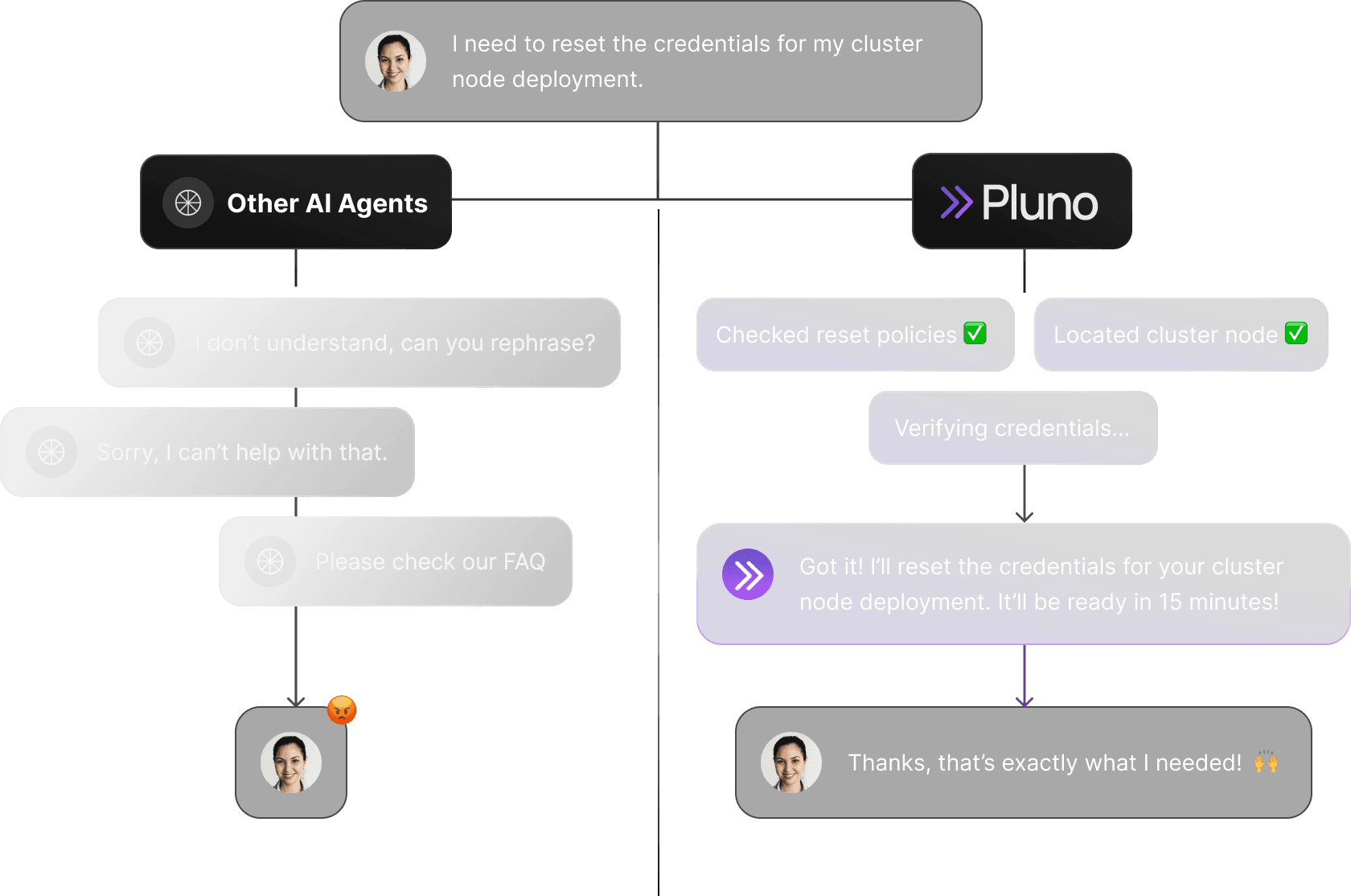
They call it ‘tailored,’ but it’s really one-size-fits-all.
They call it ‘tailored,’ but it’s really one-size-fits-all.
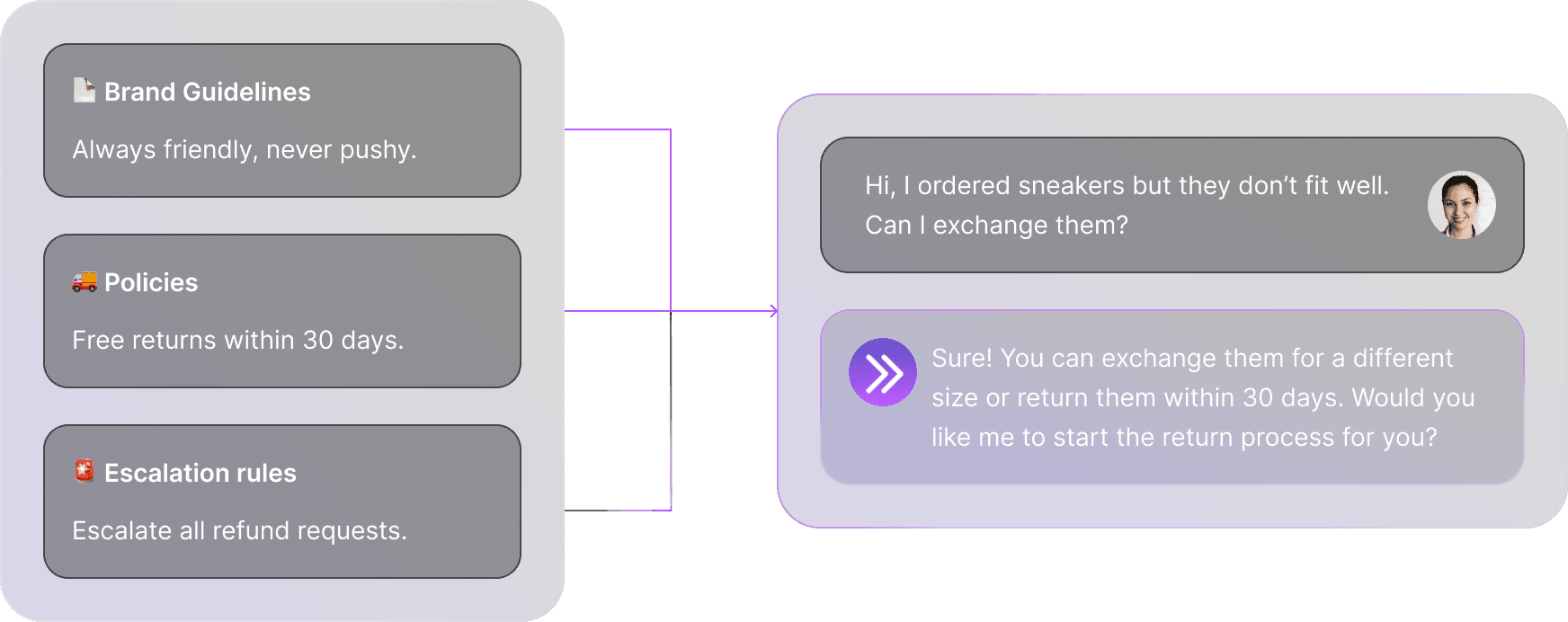
With Pluno, our team works with you to fine-tune the AI agent through a dedicated training session, just like you’d onboard a new support hire for your brand and products. You wouldn’t trust any random support agent to represent your company, and the same should be true for your AI agent.
Ever wonder if an AI agent could understand the nuances of your domain like a human does? We make it possible.
Drive up CSAT while cutting down cost per ticket.
Drive up CSAT while cutting down cost per ticket.
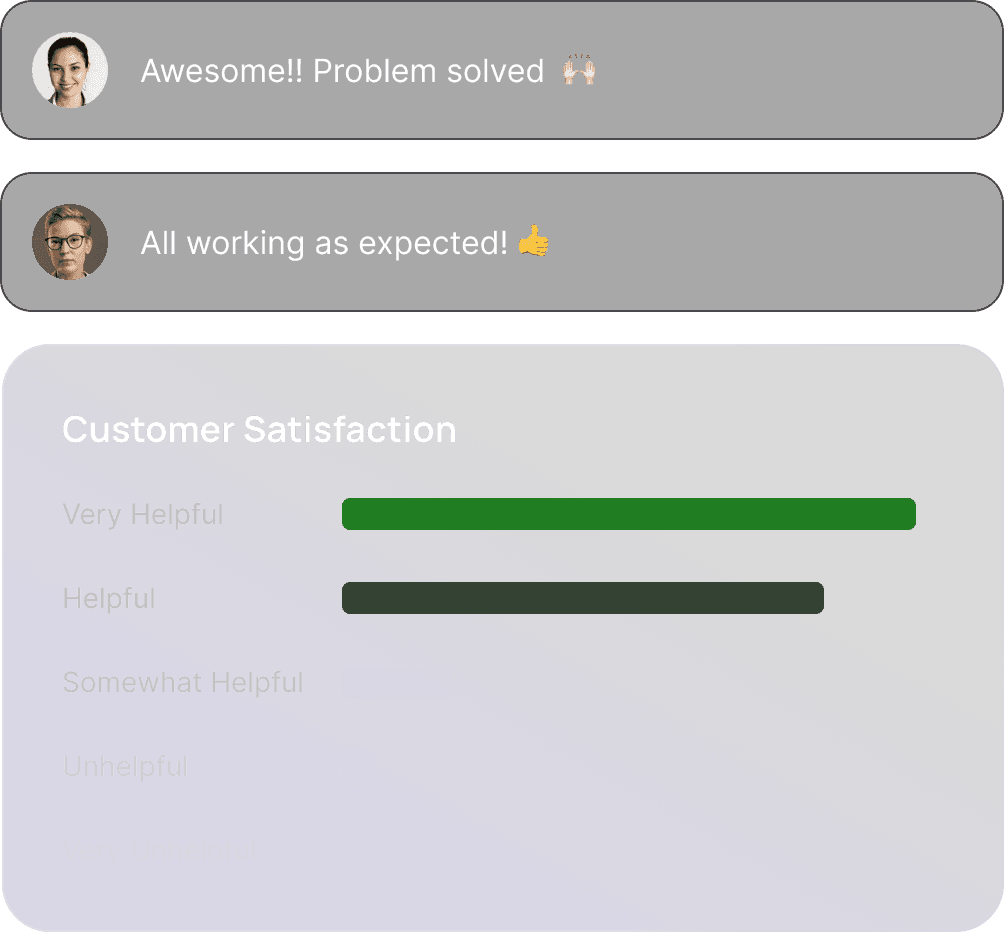
In controlled evaluations, AI agents trained on domain-specific data and customized context achieved up to a 40% improvement in first contact resolution, while latency tests confirmed near-instant response times under peak loads.
Linguistic analysis shows that fine-tuned models aligned to brand tone are rated as 2.3× more empathetic than generic bots, and task-completion studies demonstrate a 55% reduction in customer effort.
These gains translate directly into higher CSAT scores. Pluno embodies these principles by design.
In controlled evaluations, AI agents trained on domain-specific data and customized context achieved up to a 40% improvement in first contact resolution, while latency tests confirmed near-instant response times under peak loads.
Linguistic analysis shows that fine-tuned models aligned to brand tone are rated as 2.3× more empathetic than generic bots, and task-completion studies demonstrate a 55% reduction in customer effort.
These gains translate directly into higher CSAT scores. Pluno embodies these principles by design.
In controlled evaluations, AI agents trained on domain-specific data and customized context achieved up to a 40% improvement in first contact resolution, while latency tests confirmed near-instant response times under peak loads.
Linguistic analysis shows that fine-tuned models aligned to brand tone are rated as 2.3× more empathetic than generic bots, and task-completion studies demonstrate a 55% reduction in customer effort.
These gains translate directly into higher CSAT scores. Pluno embodies these principles by design.
Put Pluno to the test against what you use today.
Put Pluno to the test against what you use today.
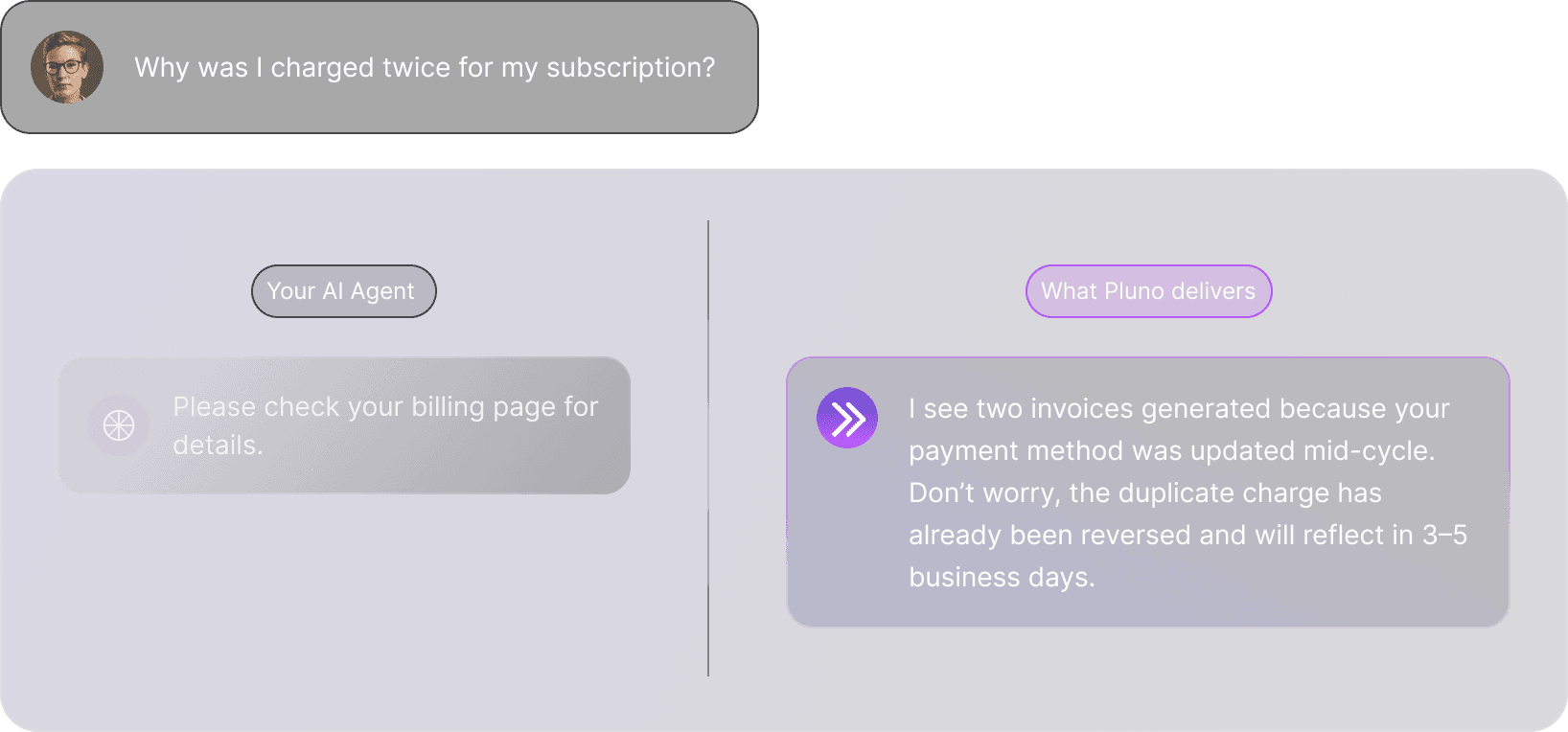
Already using an AI agent? Perfect. With our free simulation, you’ll see exactly how Pluno performs in your real-world workflows, side by side with the tool you’re using today.
No guessing, just a clear, head-to-head comparison that shows you what’s possible when your AI works smarter, faster, and more reliably.
Smarter because it also handles escalations.
Smarter because it also handles escalations.
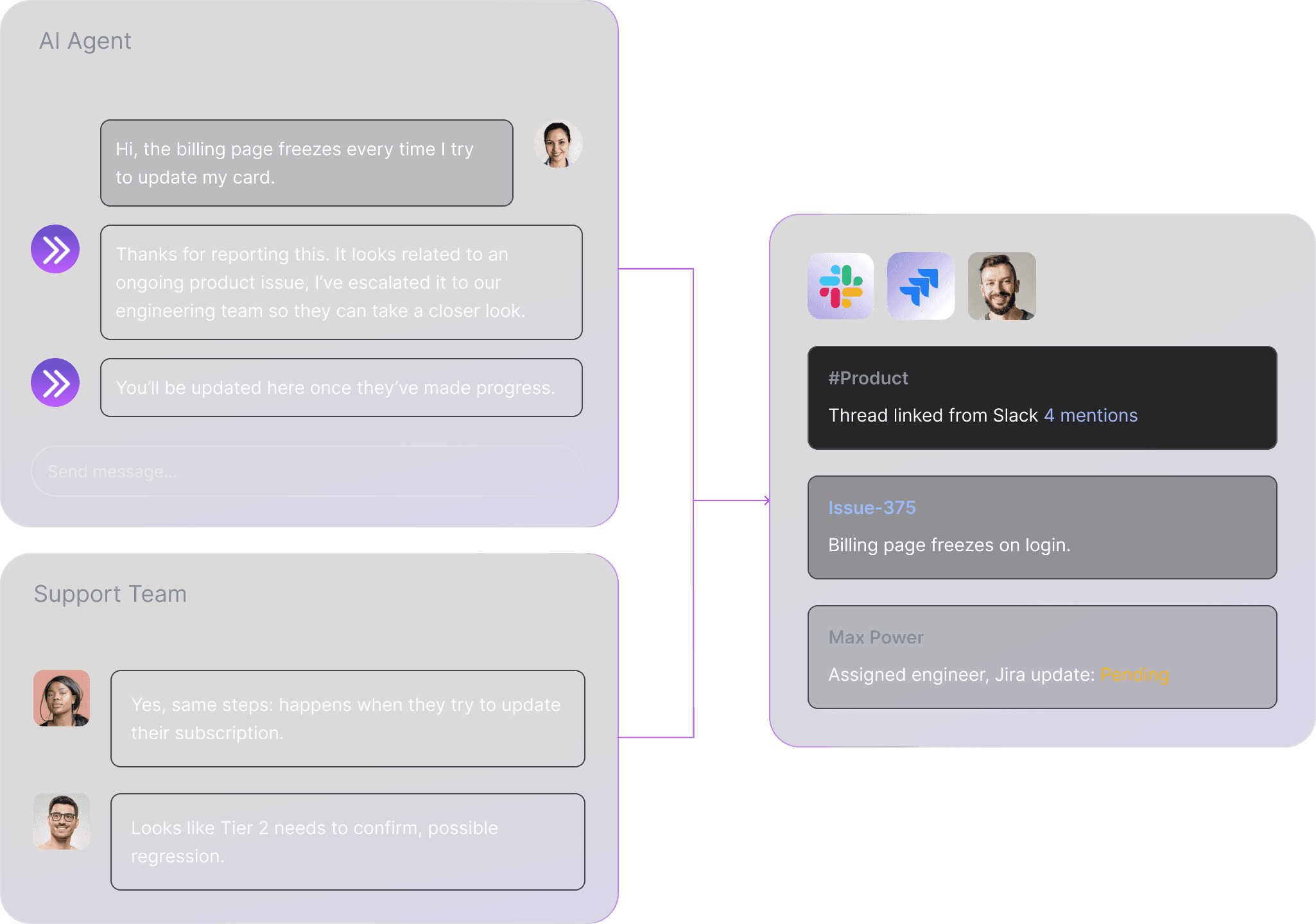
Pluno isn’t just a gatekeeper, it’s omni-present at every stage of support. Whether it’s escalating from your support platform into Jira, surfacing details from Slack threads or feature requests, or joining discussions between engineering and Tier 2, Pluno stays aware and carries the context forward.
That awareness empowers it to assist like an internal team member, fully aware of ongoing issues, customer tier, product area, or churn risk, while knowing when to bring in human input instead of giving unhelpful answers.
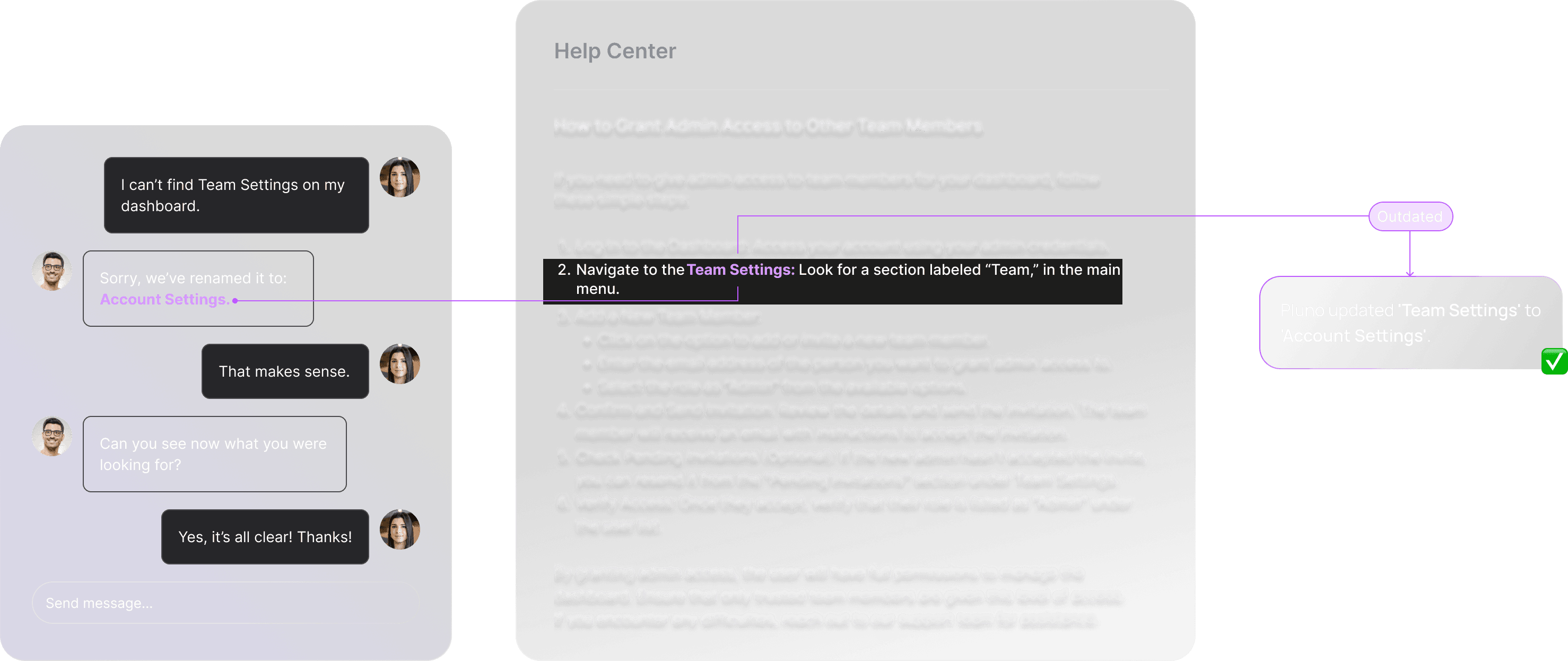
Heard AI is only as good as its data? Pluno finds the gaps.
Heard AI is only as good as its data? Pluno finds the gaps.
Our AI agent actively identifies knowledge gaps, prompting your team to add input or create new articles. It stays current by updating itself from resolved tickets, changelogs, commit messages, and Slack discussions, so support answers evolve alongside your product.
And if you’d rather not manage it yourself, we can even take care of keeping Pluno’s knowledge base up to date for you.
The AI that fits your world, not the other way around.
The AI that fits your world, not the other way around.
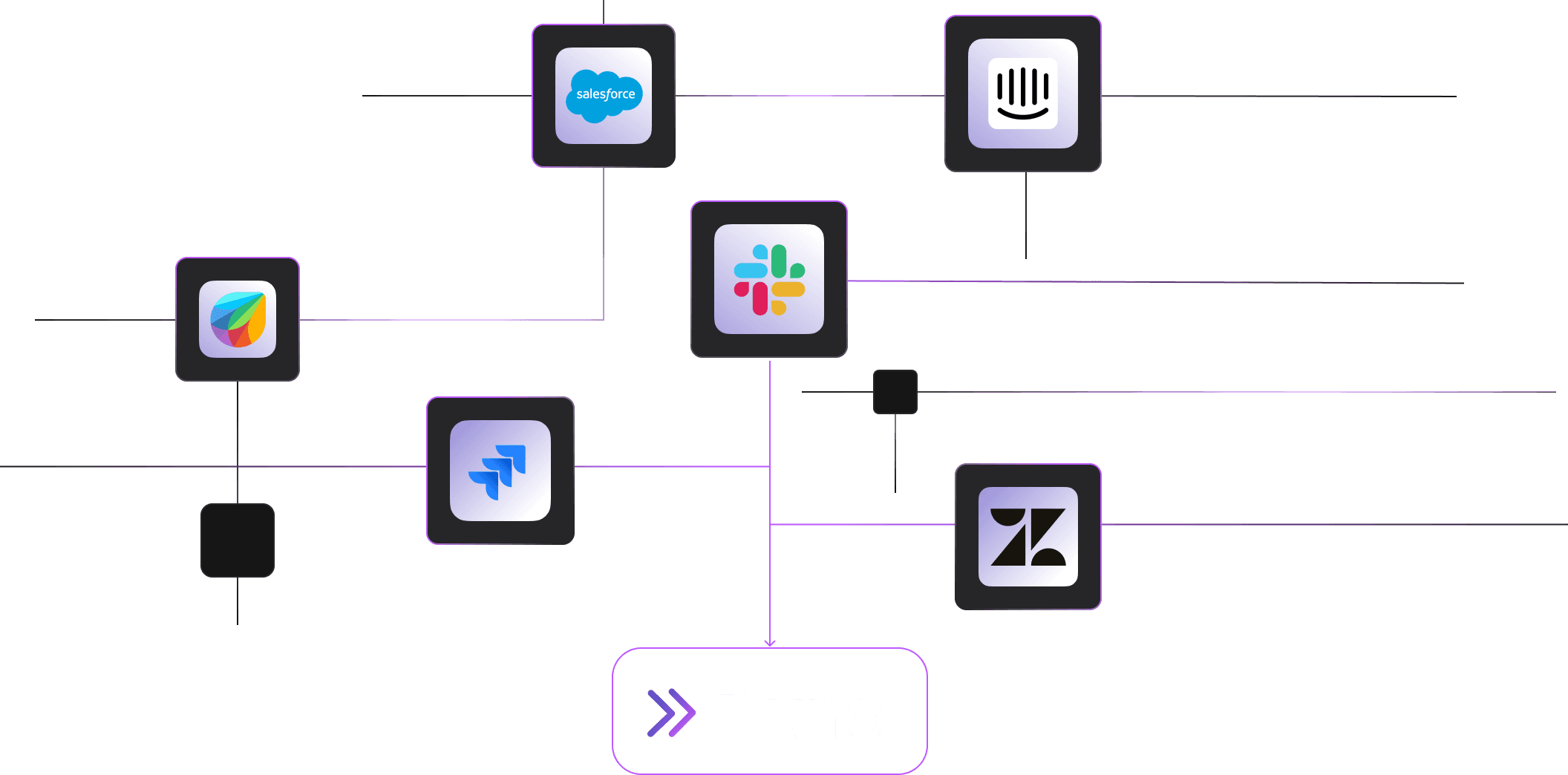
Pluno integrates directly into your existing support tools, so you don’t have to change a thing. Whether it’s Zendesk, Intercom, Freshdesk, Salesforce, Slack, or Jira, Pluno joins your workflows seamlessly, handling deflection, surfacing context, and escalating when needed.
You can also connect additional sources like logs, internal systems, CRMs, or internal knowledge bases (e.g. Confluence). These integrations are fully configurable, choose whether to power customer-facing deflection or to enrich your agent-facing copilot.
FAQ
FAQ
Who is Pluno for?
When is Pluno not a fit?
How is Pluno different from other AI support agents?
Will Pluno send wrong answers or “hallucinate”?
Can we try it before we buy?